Give the decision-maker the whole proposal.
Bring the requested action, its sources and its business effect to the right approver. Managers and owners can decide the next step with the customer, purchasing or team context in front of them.

Ask for one clear decision.
A customer reply may need a new delivery commitment. A purchase may need approval of its quantity and terms. The task brief names the action and the outcome it serves.
The AI Chief connects that request to the person who can decide. The dashboard keeps its next action in view, and the security page explains the information handling on this website.
Use your company’s actual authority map.
The people-in-control guide helps define which decisions belong to an owner and which a manager can make within their mandate. Attach the rule that applies to the requested action.
| Proposed work | AI may prepare | Manager may decide within authority | Owner or reserved approver decides |
|---|---|---|---|
| Customer wording | Draft the reply and show the relevant terms | Approve wording and routine terms within mandate | Approve reserved commercial commitments |
| Supplier purchase | Compare the request and quoted conditions | Review the purchasing recommendation | Authorize spending or terms above delegated limits |
| Employee workflow | Assemble the relevant role instructions and checklist | Confirm the operational assignment | Decide matters reserved by company policy |
| Record or system change | Describe the change, source and affected work | Confirm its business purpose and scope | Authorize reserved access or consequential changes |
| Company priority | Show the affected goals and dependencies | Assess delivery implications | Choose significant changes to priorities or scope |
One customer request, one traceable decision.
A 35-person ecommerce team receives a request to change a promised delivery condition. The service manager asks the team to bring the relevant order, current terms and proposed response together.
- 01
Monday · Name the commitment
The manager identifies the sentence the customer will rely on and the approval rule for changing it.
- 02
Tuesday · Assemble the proposal
The Agent drafts the reply beside the order reference and the confirmed delivery information. The account owner checks the customer context.
- 03
Wednesday · Bring the change to the reviewer
Operations supplies a revised condition. The request highlights its effect on the customer promise and asks the manager to choose the next action.
- 04
Thursday · Decide the version
The approver reads the specific reply and supporting sources, then approves it or asks the team for a defined revision.
- 05
Friday · Follow the action through
The account owner handles the agreed customer response and records the next follow-up. The team can open the decision with the task it affects.
Build the request around the approver’s questions.
A Sales Agent may supply a customer draft, a Procurement Agent a supplier comparison, and an HR Agent a role checklist. The review identifies the specific action that uses each result.
Alerts bring an unresolved question to its owner. Company knowledge provides the applicable instructions and source context.
- 01
1 · State the action
Write the decision in a sentence: approve this reply, authorize this proposed purchase or agree this change of scope.
- 02
2 · Attach the source and version
Show the order, quotation, request or policy the proposal uses. Identify the version the approver is being asked to decide.
- 03
3 · Explain the business effect
Describe the customer promise, spending, access or delivery consequence. List the answer the reviewer still needs from a colleague.
- 04
4 · Route and record the response
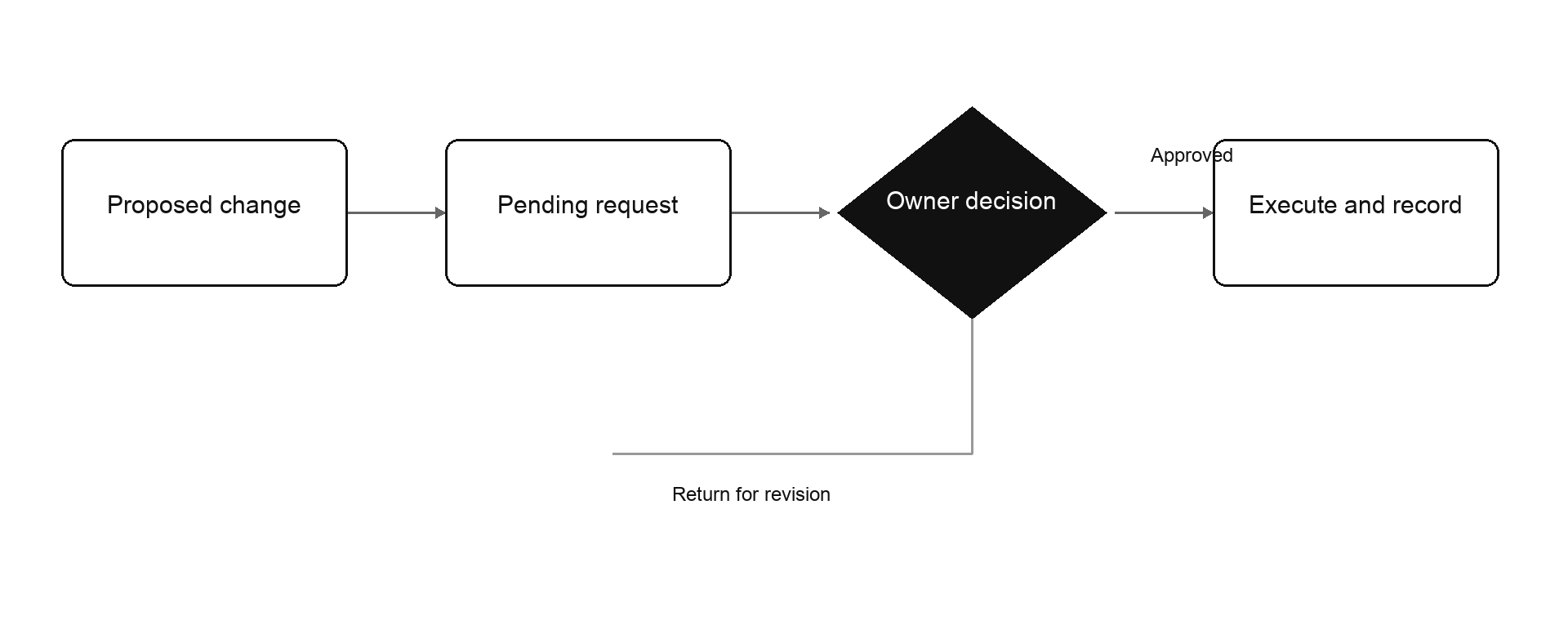
Name the authorized reviewer. Keep their decision, requested changes and the next owner with the task.
Review a proposed customer commitment
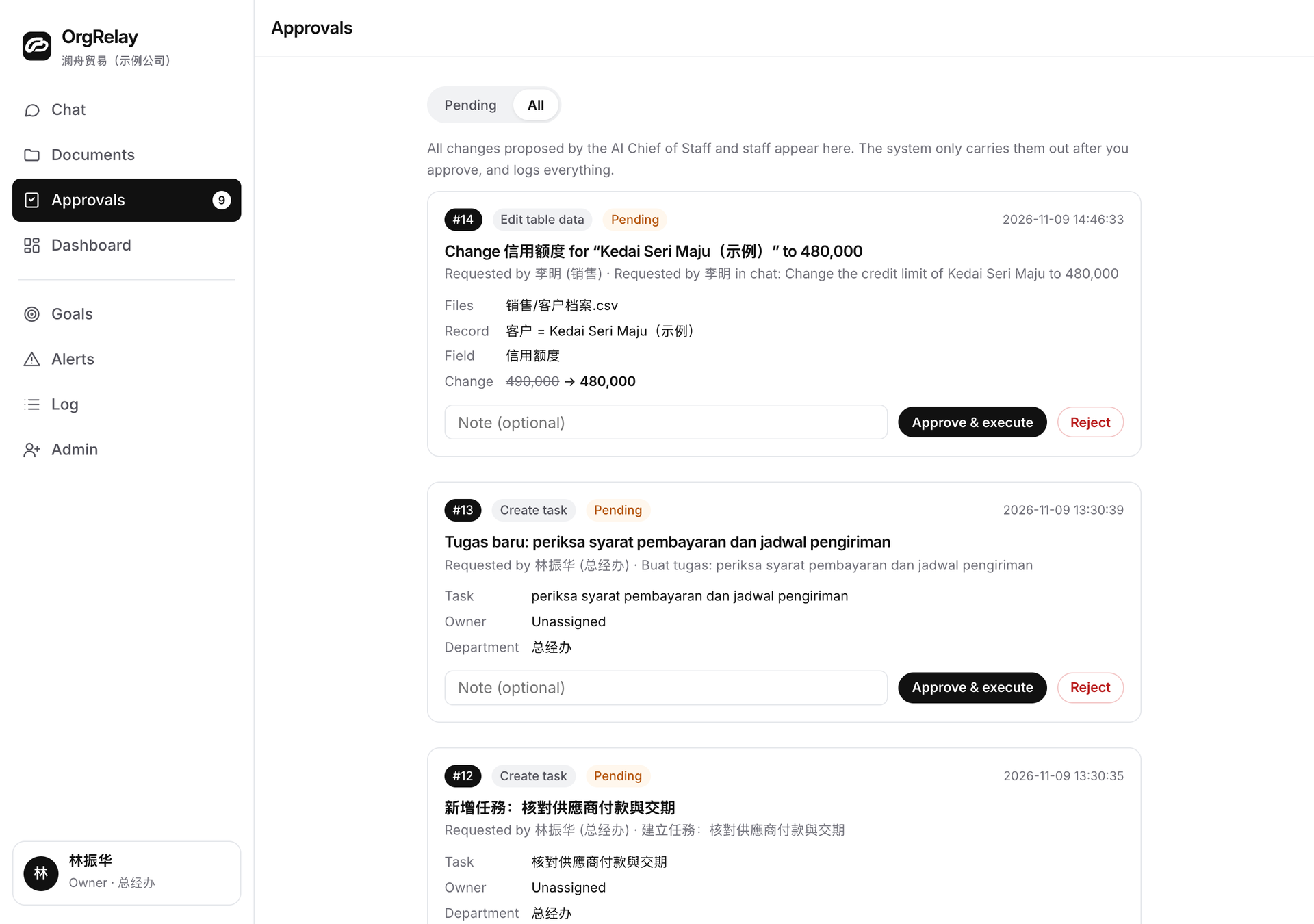
Keep the decision useful to the next colleague.
A Finance Agent can add record-difference questions to a purchasing request. An Operations Agent can explain the handoff or deadline the decision affects.
The output is the requested action, the approver’s response and the agreed follow-up. For a source in another tool, integrations describe the record and access scope the workflow needs.
Test a request your manager receives every week.
Use an approval packet to gather one real type of decision. Explore the solutions for the role or industry, then ask the approver whether the packet answers their practical questions.
Compare plan scopes around the teams involved, and review the company’s basic details in the company-context form.
Questions, answered.
What belongs in an approval request?
The proposed action, its supporting sources, the version being reviewed, the business effect and the authorized approver.
Who chooses the approval rules?
Your company assigns decisions to managers, owners and specialists according to its responsibilities and delegation.
How should the team handle requested changes?
Revise the specific proposal and return it with the updated sources and the question the reviewer needs to decide.
What happens after approval?
The assigned colleague handles the agreed next action and keeps its result or follow-up with the task.