Connect the opening shift to the daily review.
Give headquarters a clear view of what each branch needs next. OrgRelay connects staffing, store checks, ingredient requests and the daily report, with a manager responsible for each decision.

Bring the branch’s situation into the company plan.
A shift change, a late ingredient delivery and an open store check each need a different response. Use goals and tasks to give the branch a concrete next action and a person to receive the update.
The AI Chief connects those actions across the store team, purchasing and headquarters. An Operations Agent follows the handoffs, and the dashboard brings the decisions into the daily review.
Monday · Agree what headquarters needs from each branch.
In a restaurant group with several branches, the operations manager sets a weekly goal: every daily branch review should show staffing changes, open checks and the next purchasing decision. Each store manager names the colleague who submits its update.
The HR Agent assembles the staffing information for the manager’s review. The Procurement Agent lines up ingredient requests and supplier terms. Headquarters can then direct each question to the right role.
Build the staffing review around real availability.
Start with the shift being discussed, the employee availability supplied by the team and the store role that needs coverage. The manager checks the proposal against the company’s scheduling rules in company knowledge.
Use approvals for the staffing change the manager must decide. The task records the requested shift, the reason, the person covering the role and the manager’s response.
Turn a store check into a named follow-up.
A useful check records the branch, the time, the observation and the person who follows up. Ask the store manager to identify the required action and the colleague who confirms it is complete.
Alerts surface a waiting answer or follow-up. The people-in-control guide helps assign the manager and specialist decisions that apply to the observation. Keep operational checks connected to the company’s established procedures.
Compare the ingredient request before choosing the order.
Read the branch request with its item description, unit, quantity, required date and person responsible for the branch request. A case, a kilogram and a serving describe different purchasing needs; the review keeps those units clear.
The Procurement Agent puts the selected supplier terms alongside the request. Integration requirements describe the source scope for bringing purchasing information into that workflow. The buyer reviews the comparison and obtains the required spending approval.
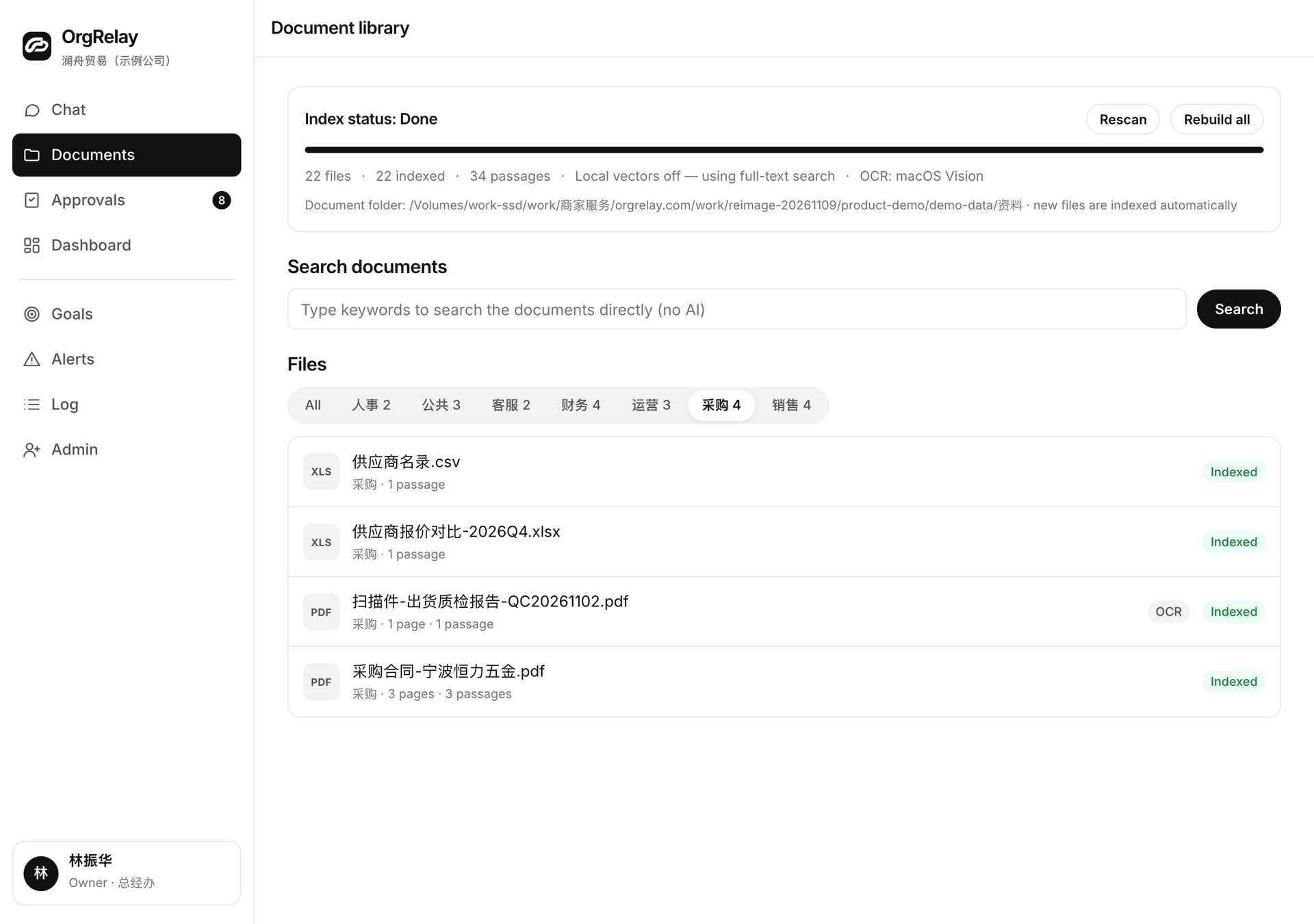
A branch exception has a specific next step
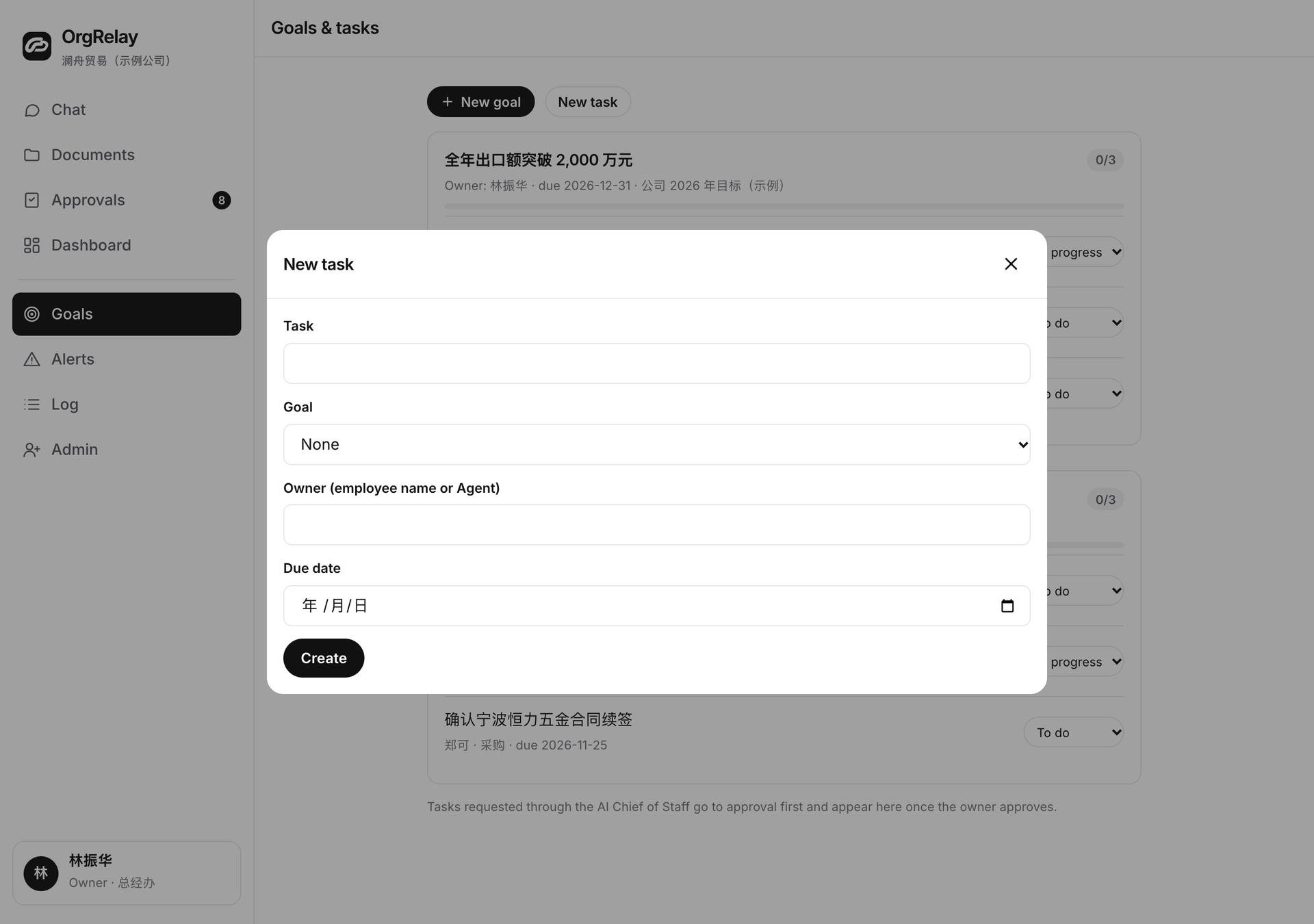
Wednesday · Follow one late delivery through the handoff.
One branch reports that an ingredient delivery still needs receiving confirmation. Its store manager asks the receiving colleague for the delivered quantity, unit and check record. Purchasing follows up on the supplier’s dispatch information.
If the situation changes a customer-facing plan, the Customer Service Agent drafts the explanation for review. The owner decides significant company commitments, while the manager coordinates the branch response within their mandate.
Give every branch decision a clear owner.
The operations manager agrees how branch teams, buyers and headquarters share authority. The Finance Agent adds the supporting record questions when a purchasing review needs finance input.
| Preparation by AI | Manager review | Owner or designated authority |
|---|---|---|
| Summarize availability, store observations and open follow-ups | Approve staffing and store actions within delegated responsibility | Set company policy and reserved decisions |
| Compare ingredient requests, units and supplied quotation terms | Choose the purchasing recommendation and seek required approval | Authorize spending or supplier terms above the manager’s mandate |
| Assemble the daily branch updates and cross-team questions | Confirm the branch summary and next owners | Choose significant operating priorities and commitments |
End the day with the period, the action and the owner.
A branch report names its business period, the source of its figures and the person confirming the update. It separates the day’s observations, the actions completed and the decisions carried forward. Headquarters opens the relevant task when a line needs attention.
Use the daily working materials to agree the report fields with store managers. Compare plan scopes around the branches and reviewers involved, review company details through the company form, and bring one branch-to-headquarters handoff to the demo discussion.
Start with one branch review your team can run together.
Choose one report period and the sources the store manager can explain. The security page describes the website’s information handling. Employees should know what they report, who reads it and how to return a question to its source.
As the workflow becomes familiar, a growing company can connect the next branch or team. Keep the same practical test: the recipient can explain the observation, decide the next action and name the person who follows through.
Questions, answered.
Which branch workflow should we start with?
A daily operating review that connects a specific period, store observations, open purchasing questions and the manager’s next decisions.
How does the staffing review work?
The team supplies availability and role requirements. The manager checks the proposed staffing change against the company’s rules and confirms the next action.
What information belongs in an ingredient request?
The branch, item description, unit, quantity, required date and person responsible for explaining the request.
Who confirms a store follow-up is complete?
The manager assigns a receiving colleague or specialist to check the result under the company’s established procedures.