Specialist skills. A shared company goal.
Give an Agent the part of a job that slows your team down. It drafts the customer reply, lines up supplier terms or assembles the daily summary, while your colleagues own the decisions and the next handoff.
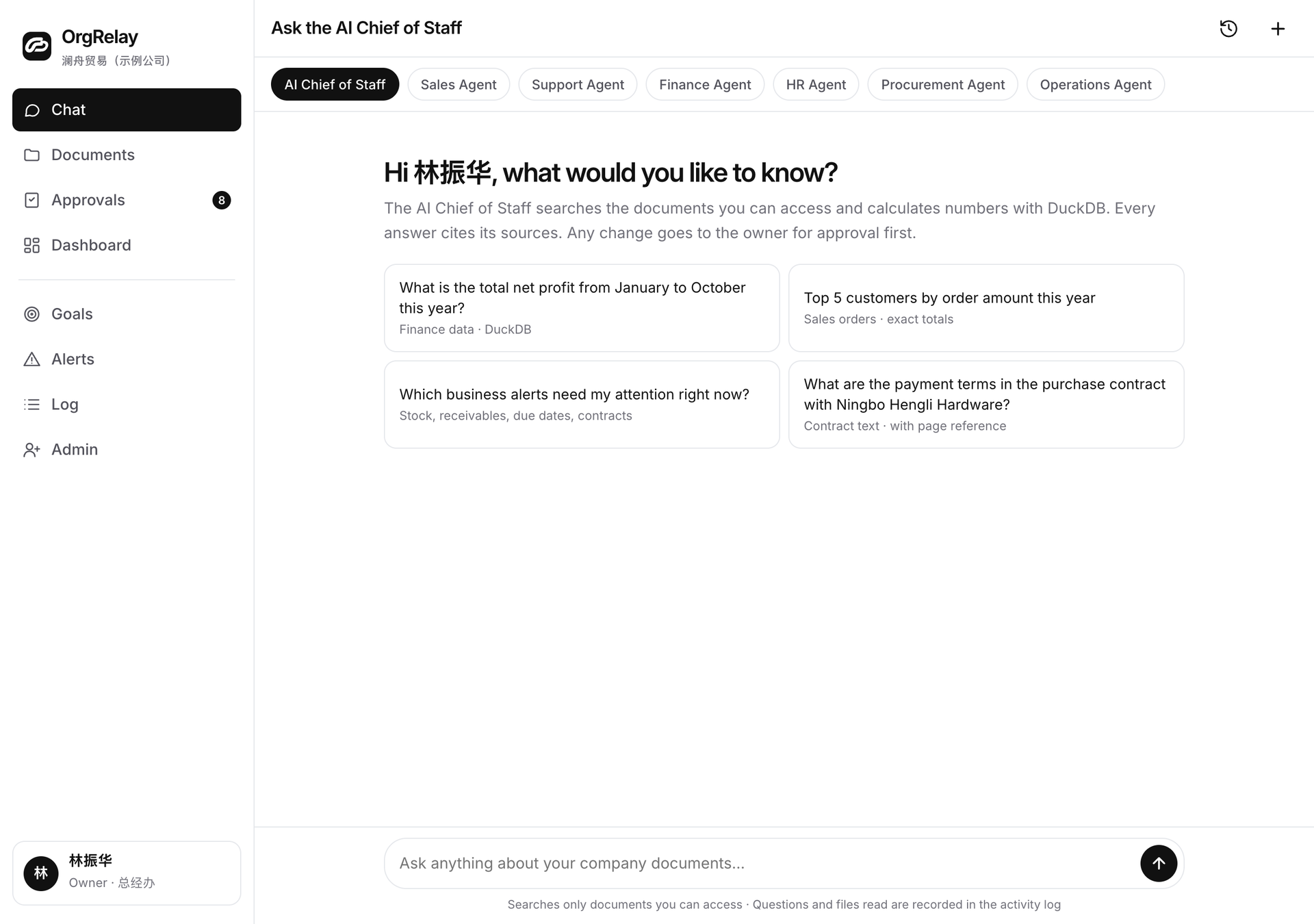
Customer work
Company support
Give the Agent a job the next colleague can use.
A focused task brief names the input, the output and the person receiving it. “Draft the reply to this specification question” gives a Sales Agent a clearer job than a broad instruction to improve sales.
The AI Chief connects that job to the team’s goal and the work it depends on. Approvals route the proposed commitment to the responsible person. The security page explains this website’s information handling.
Choose the specialist your workflow needs.
The Sales Agent turns an enquiry and confirmed terms into a customer follow-up for the account owner.
The Customer Service Agent brings the customer’s question, applicable guidance and a reply draft to the service reviewer.
The Finance Agent lines up the supplied records and highlights the differences the finance reviewer needs to investigate.
The HR Agent turns a role, company instructions and first-week activities into an onboarding checklist for the team.
The Procurement Agent compares item requirements, quantities, delivery terms and supplier quotations for the buyer’s decision.
The Operations Agent follows the work moving between teams and puts open questions, owners and next actions into the daily summary.
Set up an assignment in three decisions.
Choose the relevant instructions from company knowledge. Agree which waiting conditions should produce an alert and what the manager needs to see on the dashboard.
For a source in another tool, describe the required record and access scope through integrations. Keep that source connected to the Agent’s specific job.
- 01
Name the output
Choose a reply draft, comparison, checklist or summary. Describe the pieces it must contain and the colleague who receives it.
- 02
Choose the material
Select the current request and supporting documents. Name the person who explains their meaning and confirms that they apply to the task.
- 03
Agree the review and return path
Assign the reviewer and the decision they need to make. Specify the question an Agent should bring back when a source or condition needs a person’s answer.
Six roles, different preparation contracts

People own the decisions that use an Agent’s work.
Use people in control to set the company’s review and approval rules. An Agent’s role describes the work it does; your authority map assigns the business decisions.
| Area | AI preparation | Manager review | Owner or reserved authority |
|---|---|---|---|
| Task assignment | Suggest the task breakdown and needed sources | Assign colleagues and approve the task brief | Set the company goal and reserved decisions |
| Customer response | Draft a reply using the relevant enquiry and terms | Review wording and terms within mandate | Approve reserved commitments |
| Purchasing or finance | Compare supplied terms or record differences | Investigate the sources and review recommendations | Authorize reserved spending or accounting decisions |
| Cross-team handoff | Summarize the result, open questions and next owner | Confirm the receiving colleague and follow-up | Choose significant changes to priorities or scope |

Start with one Agent and one recurring job.
Use the role and industry solutions to find a job your team knows well. The resource library has briefs and templates to make its input, output and reviewer explicit.
Compare plan scopes around the people and Agent roles involved, then use the company-context form to review your team details in the browser.
Questions, answered.
How should I choose the first Agent?
Start with a recurring task your team can explain, then choose the specialist whose output will help the next colleague act.
What does an Agent assignment contain?
The expected output, the selected sources, the receiving colleague and the questions that should return to a person for an answer.
Can several Agents contribute to the same goal?
Yes. The AI Chief connects their specific jobs and the employee tasks that bring the goal to completion.
Who reviews the Agent’s work?
The company assigns a reviewer for each output and an approver for the business commitments that follow from it.