Surface the question that moves the work forward.
Give a blocked task a person to turn to and a precise question to answer. OrgRelay links an exception to its source, the affected handoff and the next decision the team needs.
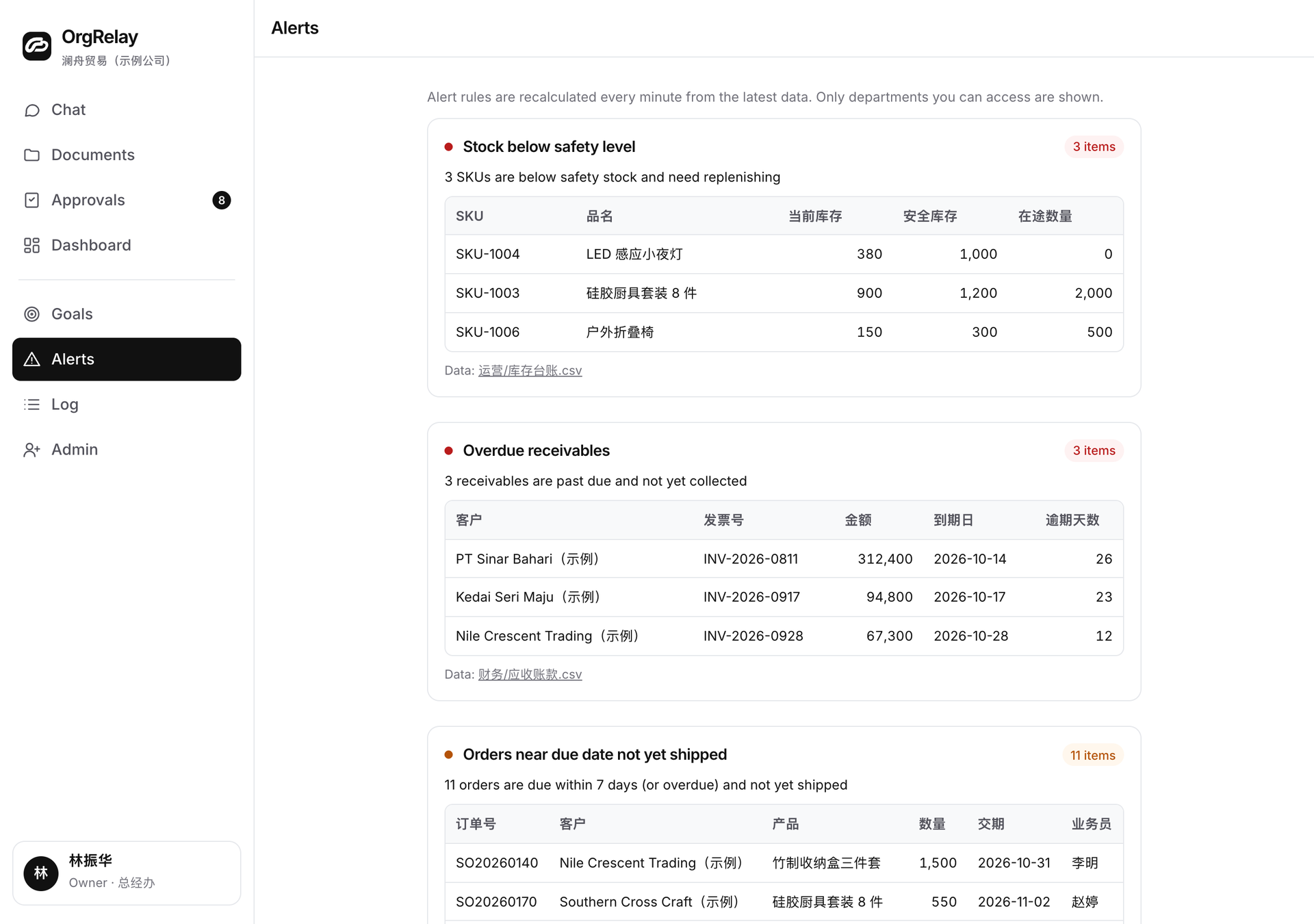
Explain what the next colleague needs.
A project summary needs the client’s current scope confirmation. The task brief identifies that source and the person who receives the summary. The AI Chief connects the waiting answer to the delivery plan.
The dashboard brings the handoff into view. Integrations specify the record fields a connected source would use; the security page explains this website’s information handling.
Build an alert around a resolvable question.
Procurement may need a supplier’s delivery basis. Customer service may need the applicable order condition. A manager names the colleague who can answer, and an employee supplies the source or returns the question to its owner.
Use approvals for the business commitment that follows the answer.
- 01
1 · Name the needed answer
State the exact field or condition: the current scope version, the quoted unit or the confirmed dispatch date.
- 02
2 · Show the affected handoff
Point to the reply, comparison or project summary that needs the answer and the colleague waiting to receive it.
- 03
3 · Ask the responsible person
Send the question with its source reference and relevant deadline to the person who can confirm the condition.
- 04
4 · Update the next action
Bring the answer back to the affected task. The reviewer checks the result and assigns the next handoff or decision.
An exception with enough context to resolve

A project handoff finds its next answer.
A services team is assembling a client summary for Friday. The manager asks the team to use the current agreed scope and name the colleague responsible for its confirmation.
- 01
Monday · Define the handoff
The task names the summary’s contents, source documents and receiving manager.
- 02
Tuesday · Identify the scope question
The draft refers to a scope condition whose current version needs the client contact’s confirmation. The alert points to the exact passage.
- 03
Wednesday · Bring the question to its owner
The client contact receives the passage, the version question and the handoff date. The manager follows the effect on the delivery plan.
- 04
Thursday · Apply the confirmed answer
The team updates the relevant part of the summary. The reviewer checks that the answer applies to the task and decides the next action.
- 05
Friday · Close the question with the handoff
The accepted summary carries its source version and recipient. Any further commercial decision has a named approver and next date.
Separate the answer from the commitment it enables.
The people-in-control guide helps assign the source owner, task reviewer and business approver. Each has a clear part in resolving the exception.
| Situation | AI preparation | Manager judgment | Owner or reserved approver |
|---|---|---|---|
| A source condition needs confirmation | Identify the field, source and affected task | Ask the responsible colleague and review the answer | Decide commitments reserved by company policy |
| Two supplied records differ | Show both values and their context | Assign the person who explains the difference | Authorize consequential changes above delegation |
| A task waits for a decision | Present the proposal and business effect | Decide within the manager’s mandate | Approve reserved company commitments |
| The answer changes the handoff | Summarize the affected work and next choices | Agree the revised team action | Choose significant changes to scope or priority |
Keep the alert small enough to act on.
An alert needs the question, the affected task, the relevant source, its owner and the next check condition. Company knowledge keeps the instructions within reach.
The Operations Agent follows the handoff across teams. The Finance Agent adds the source questions when the exception concerns supplied records. The reviewer returns the answer to the work that needs it.
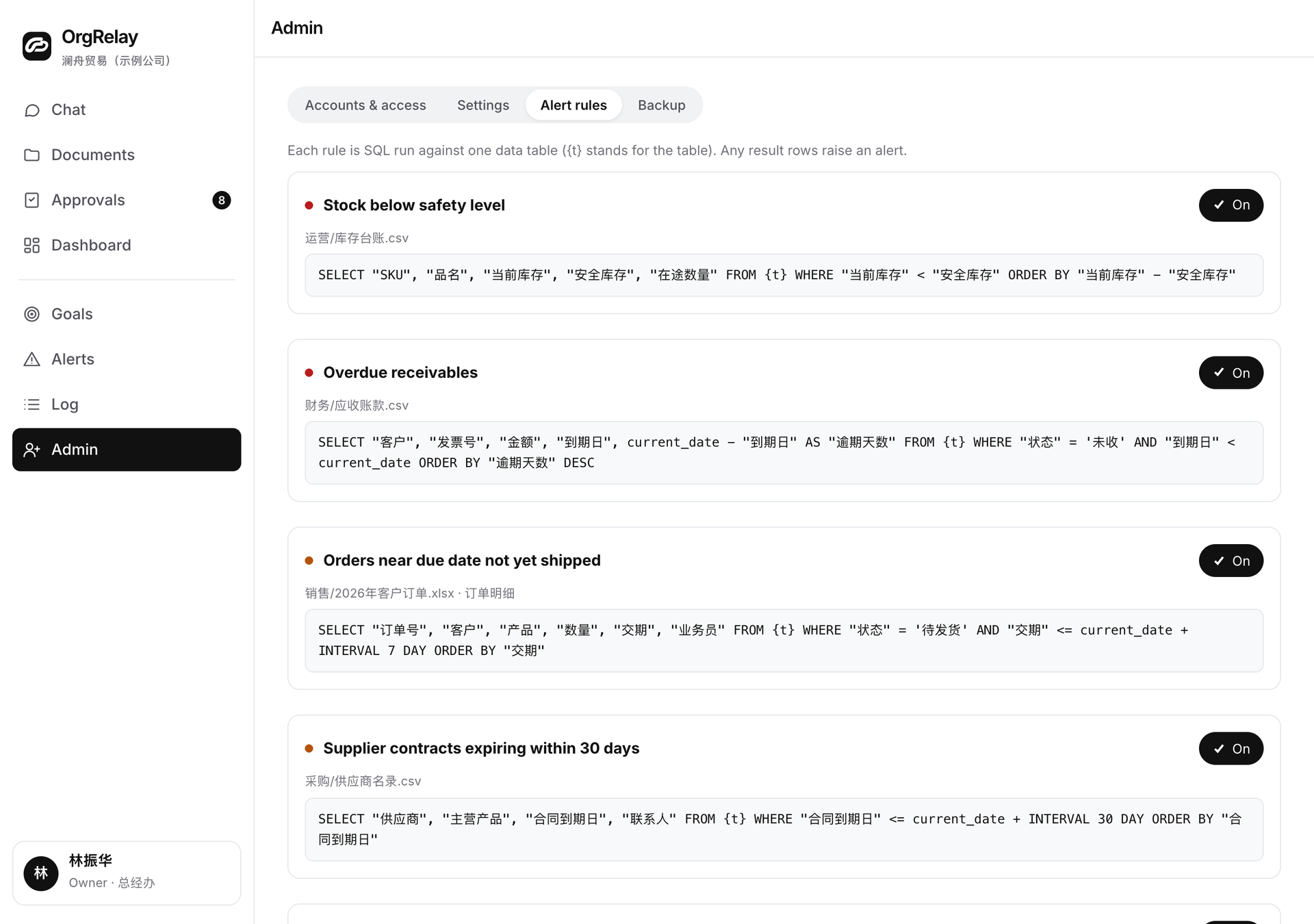
Choose an exception your team can resolve end to end.
Follow the alert back through the product workflow. Ask the owner to identify reserved commitments. A small company can begin with one source question; a growing company can follow it across two teams.
Use an exception note to capture the question, compare plan scopes and review the company details through the company form.
Questions, answered.
What should an alert contain?
A precise question, the task it affects, the relevant source, the responsible person and the condition for the next check.
Who receives the alert?
The person who can supply the source answer or make the requested decision under the company’s authority rules.
How does the team close an exception?
Bring the answer to the affected task, have the reviewer check it and record the next action or decision.
What is a useful first exception to test?
A recurring source question the team understands, such as a scope version, quoted unit or delivery condition.